Webhook Guides
Webhook Debug Online
Online webhook debugging should show more than the last HTTP status. You need the inbound request, headers, payload, source auth result, routed event, destination attempt, response body, and retry state in one trace.
FastHook gives you a public source URL to receive real provider traffic, then keeps every accepted or rejected request available for inspection before you retry or replay anything.
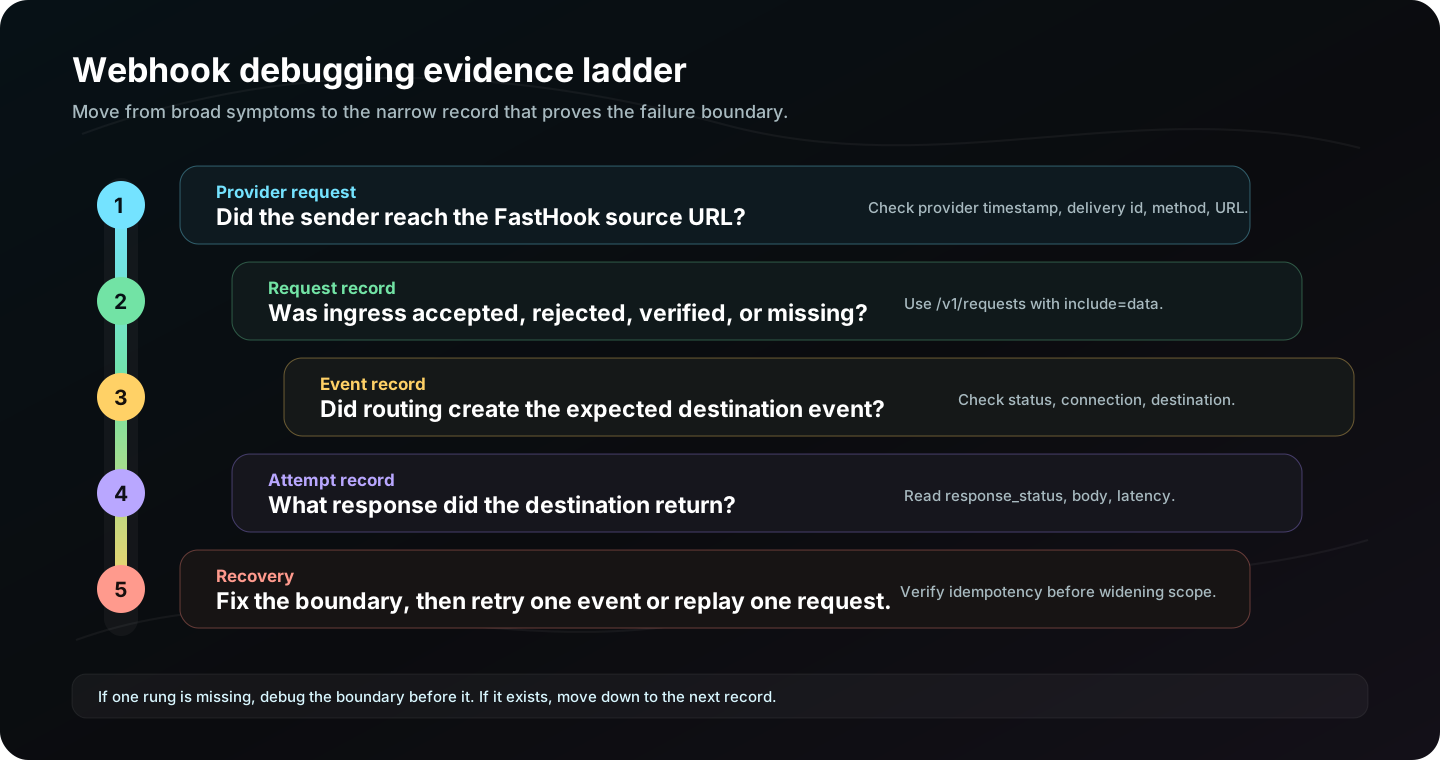
Online debug workflow
- Send provider traffic or a fixture to a FastHook source URL.
- Open the request record and inspect method, path, query, headers, body, and rejection cause.
- Check routed events to see which connections matched.
- Inspect attempts to read the receiver status, response body, latency, and error code.
- Retry a single event after fixing the receiver, credentials, route, or payload contract.
What to capture before retrying
Before retrying a webhook, capture the failure shape. Check whether the request reached the source, whether source authentication passed, which route matched, what destination URL was requested, what status came back, and whether the receiver response body explains the failure. That evidence tells you whether retry is useful or whether it will repeat the same error.
Online debugging is especially useful when several people are involved. Support can point to a provider delivery id, engineering can inspect the request and attempt records, and operations can retry the exact event after the receiver or credentials are fixed.
Inspect failed deliveries
curl "https://api.fasthook.io/v1/events?status=FAILED&from=now-1h&to=now&limit=20" \
  -H "Authorization: Bearer $FASTHOOK_API_KEY" \
  -H "x-team-id: $FASTHOOK_TEAM_ID"
Online vs local debugging
| Mode | Use it when | FastHook evidence |
|---|---|---|
| Online source | The provider can reach a public URL. | Requests, routes, attempts, responses, replay. |
| CLI tunnel | Your receiver runs on localhost. | Local response status, body, and tunnel errors. |
| Mock destination | You need a safe target before the real receiver exists. | Route and attempt proof without side effects. |
Common online debug findings
- Provider URL points at the wrong environment.
- Signature verification fails because the source secret differs from the provider secret.
- Path filters do not match because the provider sends a different request path than expected.
- Destination auth is missing a custom header or signature verification secret.
- Receiver code returns 200 but does not complete the business side effect.