Workflows
A Workflow turns each new event from one Source into an ordered automation run. The visual builder stores a directed, acyclic graph. Selected Paths and Steps run sequentially; Actions may also process the items of an input array sequentially.
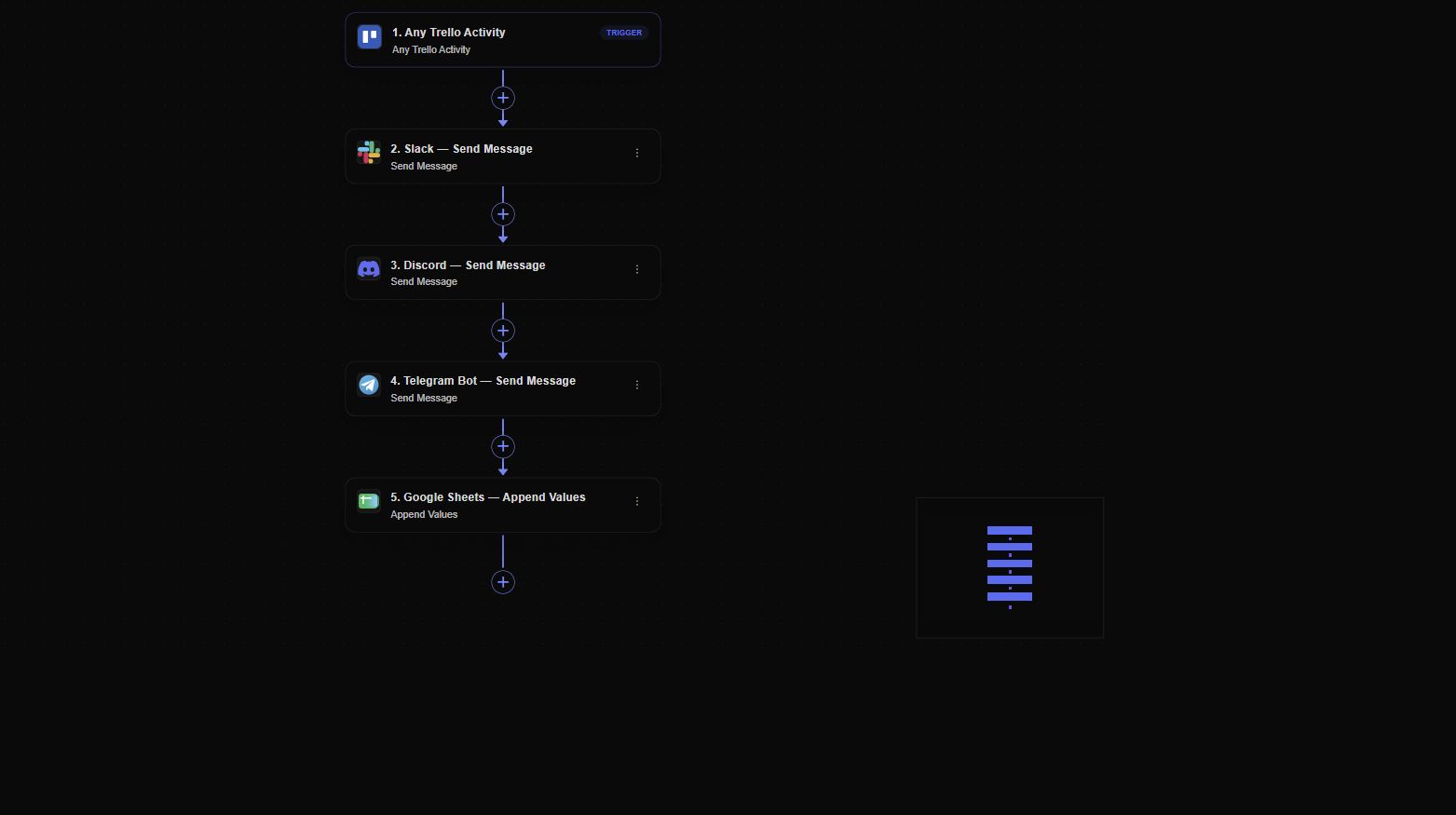
The canvas keeps the Trigger and every downstream Action visible in execution order.
Create a Workflow
- Open Workflow in the dashboard.
- Select New Workflow.
- Enter a descriptive name.
- Choose an existing Source trigger or create a new Source from the dialog.
- Select Create Workflow.
The Trigger node is fixed to the selected Source. Add the first step from the empty-state button, the toolbar, or an add point on the graph.
Step types
- Action runs an operation in a connected provider.
- Destination delivers data through a configured transport.
- JS Transformation runs a reusable JavaScript DSL transformation.
- Formatter applies a typed date, number, text, lookup, or list operation without code.
- JSON Patch applies RFC 6902 operations to the current input.
- Filter continues only when a rule group matches.
- Delay defers the branch before continuing.
- Paths creates named conditional routes.
Loop over an array
An Action can run once for each item in any array produced by the Trigger or an earlier Step. In the Action editor, enable Loop over an array, choose an array such as trigger.attachments, trigger.line_items, or steps.some_step.items, and set a maximum between 1 and 1,000 items.
Each item is processed in its original array order. Action mappings inside the loop can use:
loop.itemfor the current value;loop.indexfor its zero-based position;loop.countfor the collection size.
The Step output is an ordered array containing each original item and its Action output. A later Action can loop over that result, for example with steps.upload_files, and map values from loop.item.output.
An empty array succeeds without calling the provider. A non-array value or a collection larger than the configured maximum fails before processing. Retries reuse a stable identity for each array index, so completed items converge on their previous Action result instead of creating another logical execution.
Connect steps
Every step chooses an input from the Trigger or from an earlier Step. Adding a step at an existing edge inserts it into that route. Adding at the tail extends the route.
Independent branches can start from the Trigger and are executed sequentially. Steps on one branch cannot read outputs from an unrelated branch because that data is not a topological ancestor.
Save and version behavior
Graph changes save from the builder and increment the Workflow version. Runs retain the version number used for execution so an Audit can distinguish an older run from the current graph.
If another edit has already changed the version, the API rejects a stale update instead of silently overwriting it. Refresh the workflow before applying the edit again.
See Workflow versioning and migrations for immutable snapshots, schema provenance, conflicts, safe rollout, and recovery. Use Workflow templates and duplication before copying a Step, Path, or complete graph.
Statuses
- Draft is not processing new Source events.
- Active processes new events from the selected Source.
- Paused temporarily stops new runs and can be activated again.
- Disabled is inactive and retained for management or compatibility.
Use Pause to stop new executions without deleting the graph. Events that occurred while a Workflow was not active are not described as automatically backfilled.
Disabled steps
A disabled Step performs no side effect. At runtime it behaves as a transparent default route: its input continues to downstream success steps, while Audit records that Step as skipped.
Delete a Workflow
Deleting a Workflow is destructive: related graph, version, run, and Step-run database rows are cascade-deleted, and the API has no restore operation. Pause temporary work and use disabled for a retained inactive definition. Follow Workflow deprecation and retirement before final deletion.
Verify a Workflow
Produce a real trigger event and open Audit. Verify the run status, exact Workflow version, trigger data, step order, mapped inputs, outputs, skipped routes, and provider errors.
Continue with Triggers, Actions, Data mapping, Runs and errors, and the production-readiness checklist.